What it actually does
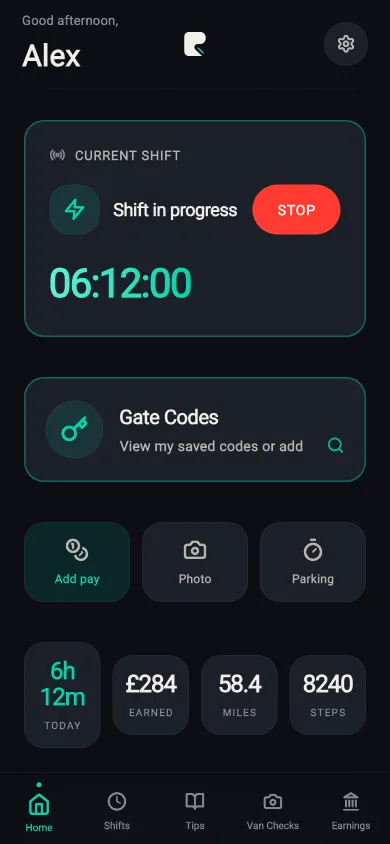
Hours on the shift clock
Start on Hours or Track both. The timer runs from start to stop. Home shows time today and a 10-hour bar; history rolls into the week, with an optional nudge near 60 hours. That is shift time, including standing at the door — not GPS “moving only”.
Miles while the shift is on
Choose Mileage or Track both and Rydealog logs miles with GPS. It uses a low-accuracy fix when you have moved about 50 metres, not a constant high-precision lock. GPS stops when you end the shift. Background location is used so miles can keep logging if you switch apps.
What the round actually paid
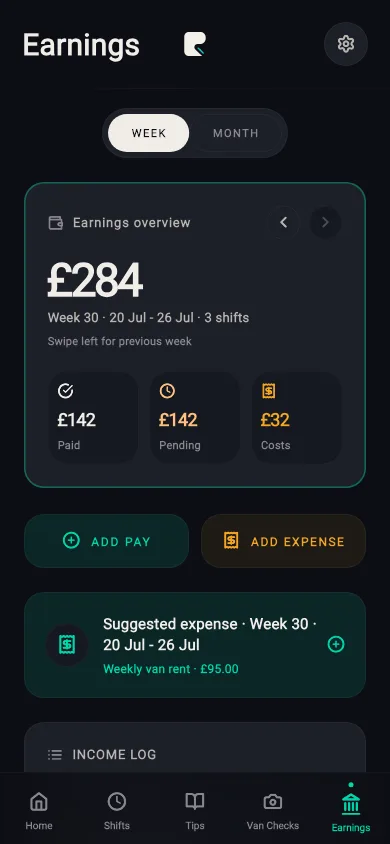
On Pro, hours, miles, fuel, van rent and other costs sit on one screen. Add pay after the shift. Optional simplified mileage (55p on the first 10,000 business miles, then 25p) is a figure in the app — check HMRC before you use it on a return.
A week you can read back
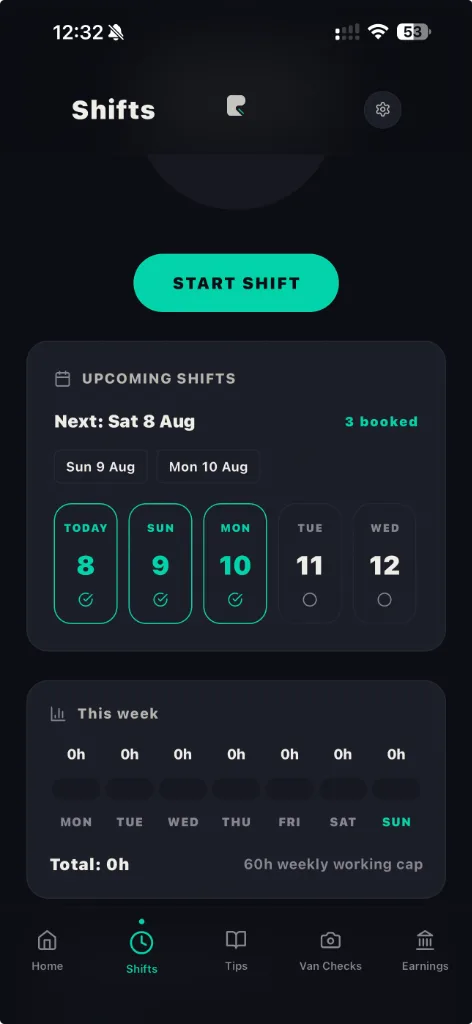
Finished shifts stay in history for free: duration, miles, the day you ran. Bluetooth can ping you when the van connects so you remember to start. You still tap through. It will not start or stop the clock on its own.
How it works
- Start a shift. Hours, mileage, or both. A signed-in account is required. If van Bluetooth is on, connecting the van can prompt “Start shift tracking?”
- Work the round. Hours tick on Hours or Both. Miles tick on Mileage or Both, at low accuracy after about 50 metres of movement.
- Stop, then look back. History keeps the shift. Pro unlocks earnings and costs so you can see what was left.
What’s free vs Pro
- Free — £0. Plan shifts, shift history.
- Monthly — £6.99. Cancel whenever you like.
- Yearly — £59.99. Works out at £5 a month. Saves you £23.89.
Booking shifts and your shift history are free. Pro unlocks earnings and costs, delivery tips, van checks, smart map scanning, shift mileage and delivery photos. No 7-day trial yet.
Honest limitations
- Hours are wall-clock shift time, not driving-only time. Mileage-only mode records miles and stores duration as zero.
- The 10-hour day and 60-hour week bars are optional in-app alerts, not tachograph rules and not legal advice.
- Mileage uses low-accuracy GPS with a 50-metre filter. Good enough to review a round. It is not a drop-by-drop certified mileage log, and it is not tax advice.
- Bluetooth prompts. It does not auto-start or auto-stop the shift.
- iPhone only for now. Independent — not linked to any courier company.
FAQs
Is this a courier mileage tracker for tax?
It logs miles during an active shift using low-accuracy GPS when you have moved about 50 metres. Pro can show a simplified mileage figure (55p then 25p) against those miles. That is a record in the app, not a certified HMRC log, and it is not tax advice. Check current HMRC simplified expenses or ask an accountant. Work a round on paper first with the round pay calculator.
Does it track delivery driver hours?
Yes, if you start the shift on Hours or Track both. Hours are the shift clock from start to stop, including time parked at drops. Mileage-only mode does not count hours. Optional alerts fire near 10 hours in a day and 60 hours in a week — in-app reminders, not a legal tachograph.
Does van Bluetooth start the shift for me?
No. When the selected van’s Bluetooth connects, Rydealog can prompt you to start tracking. You tap Start shift or Not now. It does not start or stop the shift on its own.
What’s free vs Pro for mileage and hours?
Shift planning and shift history stay free. Pro is £6.99 a month or £59.99 a year and unlocks earnings and costs, delivery tips, van checks, smart map scanning, shift mileage and delivery photos. There is no free trial yet.
More from Rydealog
What a shift paid after costs: round pay calculator. What you can claim: self-employed courier expenses. Mileage apps compared: best apps for UK delivery drivers. Entrance and parking: delivery entrance finder.

Free on iPhone. Android coming soon.